Article
File:
sections/article.liquidTemplates:
article.json
Description
Article Section
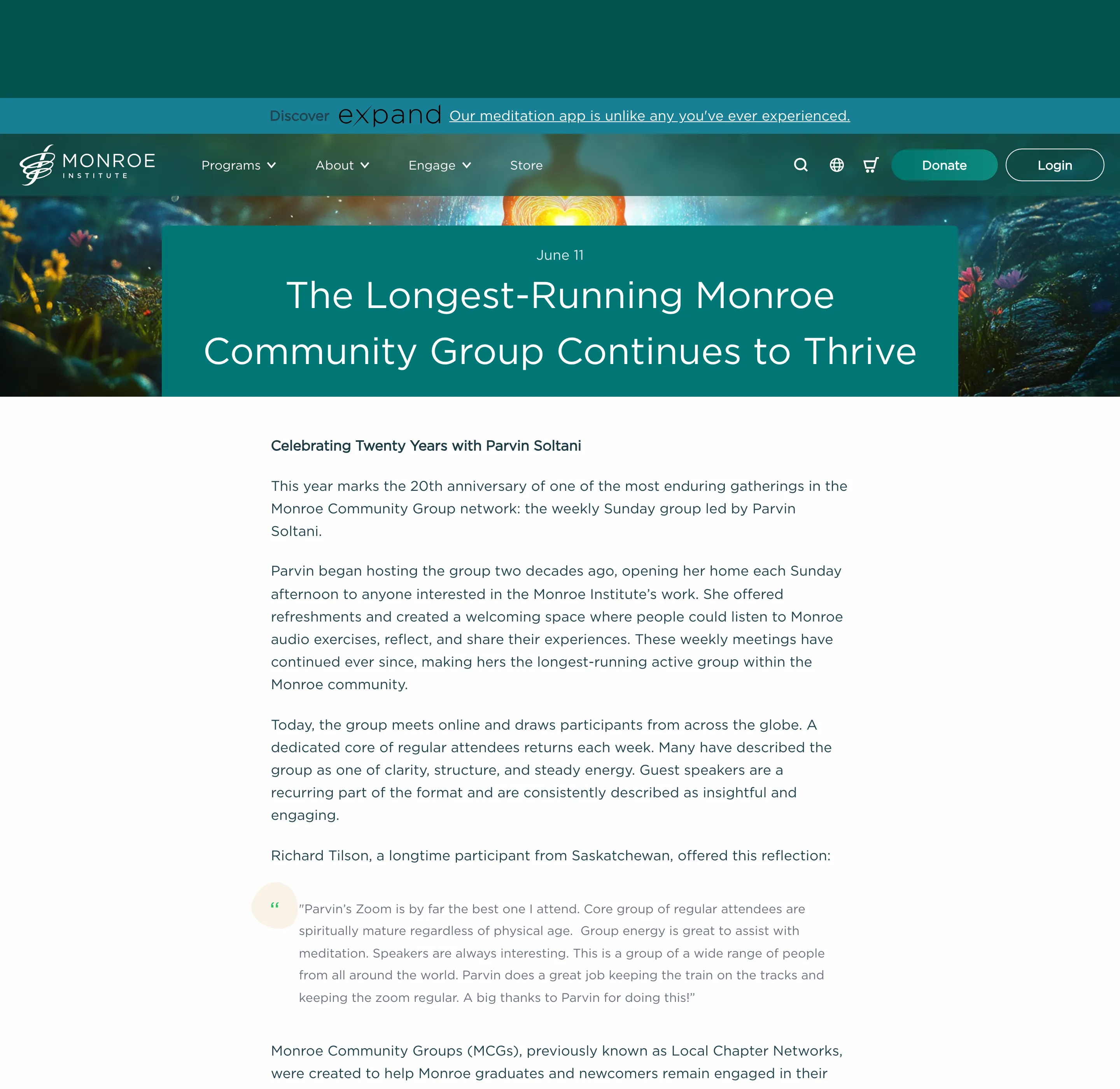
Full-width article layout with a hero background image, green title overlay, prose-formatted content, optional PDF download, a configurable promotional call-to-action box, and an author bio section.
Features:
- Full-width hero image with centered green overlay showing date and title
- Article content rendered with
proserich-text formatting - Optional PDF download button driven by article metafield
- Configurable promotional box via blog-promo-box snippet
- Author bio section toggleable via setting (replaces hardcoded URL check)
Settings:
- show_promo (checkbox) — Show the promotional box below article content, default true
- promo_headline (text) — Headline text for the promo box
- promo_cta_text (text) — Button/link text for the promo CTA, default “Learn More”
- promo_cta_url (url) — URL the promo CTA links to
- pdf_button_text (text) — Label for the PDF download button, default “Download Free eBook”
- show_author_bio (checkbox) — Show the author bio section below the article, default true
Blocks: None
Snippets Used:
- blog-promo-box — Renders the promotional call-to-action box
- author-bio — Renders author bios from metaobject references
Dependencies:
- article.metafields.custom.authors (list.metaobject_reference) — Author data
- article.metafields.custom.pdf_url (file_reference) — PDF download URL
Tailwind Status: Full All styling uses Tailwind utility classes.
Settings
| ID | Type | Label | Default | Info |
|---|---|---|---|---|
| “ | header | |||
show_promo | checkbox | Show promotional box | true | |
promo_headline | text | Promo headline | Don’t Wait! Sign up for Gateway Voyage today. | |
promo_cta_text | text | Promo CTA text | Learn More | |
promo_cta_url | url | Promo CTA link | ||
| “ | header | |||
pdf_button_text | text | PDF button text | Download Free eBook | |
| “ | header | |||
show_author_bio | checkbox | Show author bio | true |
Usage
This section is referenced in JSON templates and cannot be added via the theme editor.
{% section 'article' %}