Content Block List
File:
sections/tmi-content-block-list.liquid
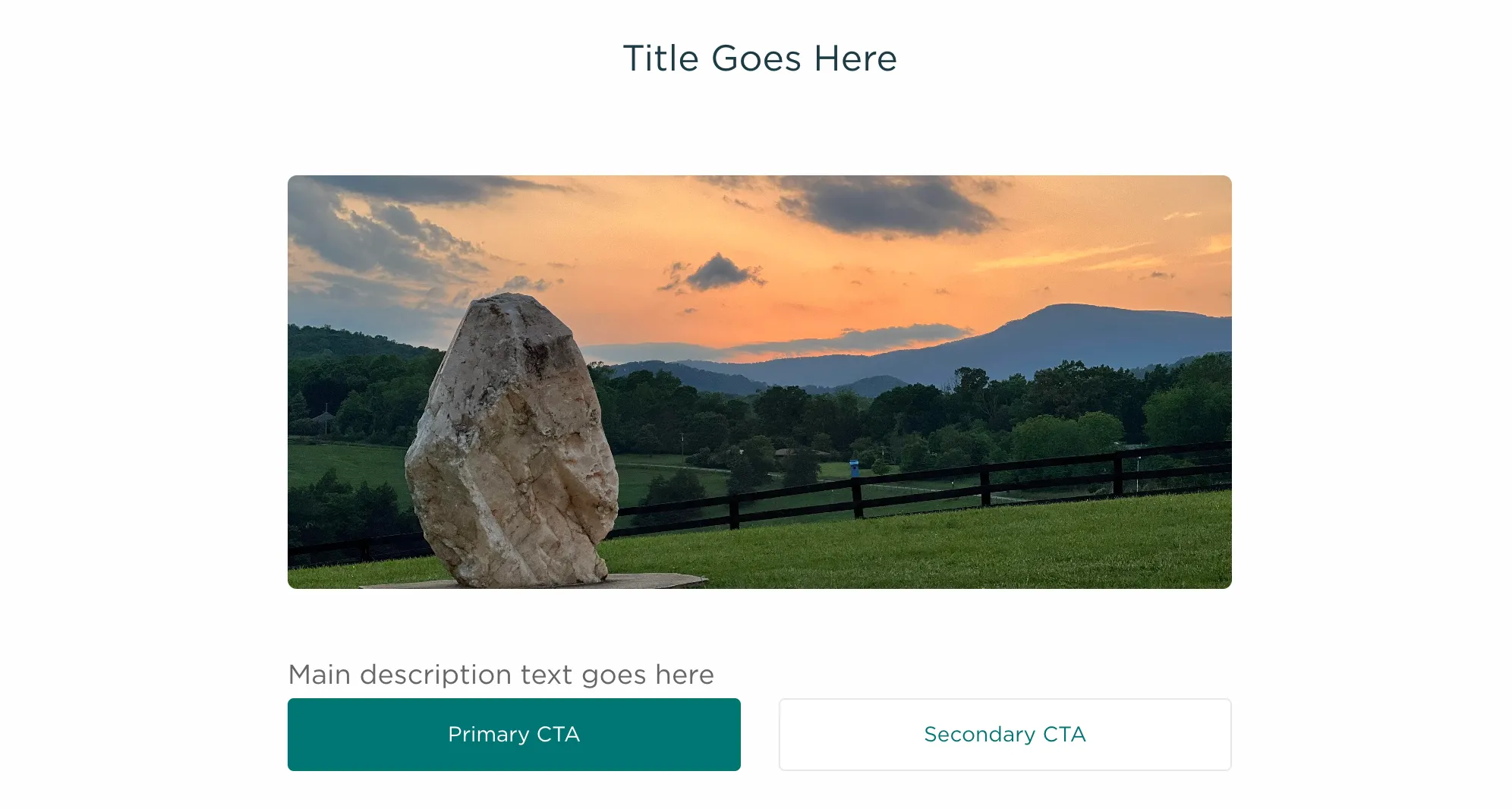
Description
TMI Content Block List
Renders a vertically stacked list of content blocks, each containing an optional image, title, rich-text description, and up to two CTA buttons. Blocks are separated by full-width horizontal rules and anchored by their title handle for in-page navigation.
Features:
- Dynamic content blocks via Shopify section blocks
- Anchor links on each block via title handleize (id attribute on <hr>)
- Optional 16:7 aspect-ratio background image per block
- Rich-text description area with RTE class for Shopify content
- Dual CTA buttons: primary + secondary (shown side-by-side) or primary only (shown full-width with link)
- Centered 8-column layout within a 12-column grid
Settings: None (section-level)
Blocks:
- content_block: Content Block
- image (image_picker) — Optional header image for the block
- title (text) — Block heading (also used as anchor ID)
- description (textarea) — Rich-text body content
- button_text_1 (text) — Primary CTA button label
- button_1 (url) — Primary CTA button link
- button_text_2 (text) — Secondary CTA button label
- button_2 (url) — Secondary CTA button link
Blocks
Content Block
- Type:
content_block
| ID | Type | Label | Default |
|---|---|---|---|
image | image_picker | Image | |
title | text | Title | |
description | textarea | Description | |
| “ | header | ||
button_text_1 | text | Text | |
button_1 | url | Link | |
| “ | header | ||
button_text_2 | text | Text | |
button_2 | url | Link |
Presets
- Content Block List
Usage
This section can be added via the Shopify theme editor.
{% section 'tmi-content-block-list' %}